What is a computer?
The word “computer” is derived from the Latin word “computare”, which means to calculate. A computer is an advanced/modern electronic device that takes raw data as input from users, processes it according to given instructions, gives an output (result), and stores it for future use.
It is a data processing machine that can perform any numerical and non-numerical (arithmetic and logical) operations under the control of sequential instructions called a program.
Hence, one can also define a computer as- it is an electronic device that can perform certain mathematical calculations and logical operations at very high speed.
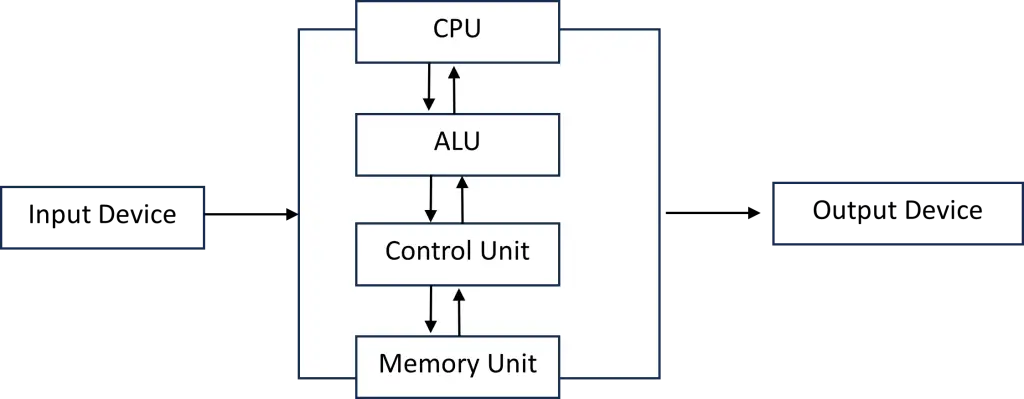
Computer Science
Computer Science is the study of the operating principles of computers, computer programming, and language algorithms for solving theoretical as well as practical problems.
IPO Cycle
The full form of the IPO cycle is the Input, Process, and Output cycle.

Input (data)- Input(data) is the raw information. Data is the collection of facts, figures (numbers), and statistics given to the computer to produce meaningful value (result).
Process- Process is the manipulation of data as per given instructions. It is a totally internal procedure of the computer system.
Output- Output is the processed data given by the computer at the final stage. It is also called a result (information). We can save this information for our future use.
Characteristics of a Computer
A Computer possesses the following characteristics:
- Speed: The computer performs complex calculations at high speeds, which is why they are essential in fields like satellite launching, where immediate results are required.
Generally, the speed of a computer is measured in terms of a fraction of a second. Different terms are used to denote the speed as milliseconds (10-3 sec), microseconds (10-6 sec), nanoseconds (10-9 sec), and picoseconds (10-12 sec).
- Storage- The storage characteristic of a computer has made it distinct from a calculator. Computers have built-in and auxiliary memory. Any data or information stored in its memory can be retrieved at any time at lightning speed.
The storage capacity of a computer is expressed in Bytes. A byte stores one character (e.g., A, B, 1,2 etc.) of data or information.
Different terms used to denote the storage capacity are:
1 Kilo Byte (1 KB) = 1024 Bytes (210 Bytes)
1 Mega Bytes (1 MB) = 1024 KB (220 Bytes)
1 Gigabytes (1 GB) = 1024 MB (230 Bytes)
1 Tera Bytes (1 TB) = 1024 GB (240Bytes)
1 Peta Bytes (1 PB) = 1024 TB (250Bytes)
1 Exa Bytes (1 EB) = 1024 PB (260Bytes)
Note: Collection of 8 bits is called a Byte. A collection of 4 bits is called a Nibble. - Automation- Once we give the appropriate data and instructions, a computer can do the operations automatically, as it is already programmed to do so. It does the job independently.
- Accuracy- The result given by the computer will be extremely accurate. If a mistake occurs in any calculation, it is due to manual errors, such as feeding in the wrong data or a mistake in the instructions given.
- Diligence- A computer is capable of performing the required task repetitively. Without affecting its speed, accuracy, and efficiency. Thus, if any calculation is done one million times, the computer does it with the same speed and accuracy. Unlike a human being, a computer never gets tired, bored, or lazy doing its task.
- Versatility– The computer is a versatile device. It performs many types of jobs at a time. The operations performed by them are very flexible. It has a wide range of application areas. They have been successfully used in different areas like education, science and technology, medicine, business, Astronomy etc.
- Electricity- A computer totally depends on electricity. All its parts, especially memory devices, transistors,s and RAM are electrical devices, and most of the computer parts are made up of electronic circuits. Therefore, a computer is called an electronic device.
Advantages of a Computer
- Performance given by the computer is 100 % accurate, and it is reliable compared to any other devices and human beings.
- Comparing with Human beings, it is much faster.
- A computer can be very useful in doing repeated jobs that a man cannot do.
- Impossible things can be done by usinga computer through simulation.
- A computer is versatile as it can do many types of jobs at the same time.
- A computer can be used in different or multiple fields.
Disadvantages of Computer
- Computers are expensive and poor people cannot afford.
- It totally depends on electricity, and if there is no electricity computer cannot do anything.
- Although it is reliable, sometimes the failure of devices and programs can produce unreliable results.
- People are becoming too dependent on computers.
- It has less Security.
- It cannot think and cheat like Human Beings.
Applications Areas of Computer
Computers have become an indispensable entity in every walk of life. The practical applications of computers are endless. Some ofthe applications of computers are as follows:
- Banking
Computers are widely used in banking to manage customer accounts, process transactions, calculate interest, operate ATMs, and generate statements quickly and accurately. - Business
In business, computers are used to store and process information, prepare salary sheets, manage sales and stock, maintain employee records, and support decision-making and planning. - Reservation Systems
Computers are used in railway, airline, and hotel reservation systems to book tickets and rooms, check availability, and maintain accurate records, reducing errors and duplication. - Science and Technology
Computers play a major role in scientific research and technological development, including space exploration, satellite control, weather forecasting, robotics, and complex calculations. - Education
Computers are used in education for teaching, learning, online classes, multimedia presentations, research, and computer-assisted instruction, making learning more interactive and effective. - Health and Medical Field
Computers help doctors and hospitals in diagnosis, patient record management, medical imaging (MRI, CT scan), telemedicine, and efficient hospital administration. - Home
At home, computers are used for studying, playing games, watching movies, listening to music, storing personal data, and accessing the internet and social media. - Desktop Publishing System (DTP)
Computers are used in desktop publishing to design and produce professional documents such as magazines, newspapers, brochures, and newsletters with text and graphics. - Simulation
Computers are used to simulate real-life situations and models, such as designing bridges, aircraft, and traffic systems, helping engineers and scientists test ideas without physical experiments. - Library
Computers are used in libraries to manage book records, borrower information, catalog systems, and search facilities, making library services faster and more efficient. - Entertainment
Computers are used in the entertainment industries for music recording, movie editing, animation, gaming, and multimedia production, making creative work easier and more advanced. - Military
Computers are used in military operations for weapon control, communication, radar systems, navigation, and strategic planning, improving accuracy and security in defense.
Generation of computers
A technological breakthrough in electronics has occurred. With each breakthrough, the computers based upon the older form of electronics have been replaced by a new generation of computers based upon the newer form of electronics. These generations are classified as follows:
| Generation | Duration | Memory Device |
| First | 1946-1958 | Vacuum Tube |
| Second | 1959-1965 | Transistor |
| Third | 1966-1973 | LSIC |
| Fourth | 1974-1990 | VLSIC |
| Fifth | 1991-future | Bio-chips |
First Generation
The digital computers using electronic valves (vacuum tubes) are known as first-generation computers. Some examples of the first-generation computers are: IBM 701, IBM 704, IBM 709, ENIAC, EDVAC, UNIVAC, Mark I, etc. The main features are:
- They used vacuum tubes as CPU components, and the storage capacity was too small.
- They were used for scientific or research purposes.
- They were huge in size, generated heat in large amount of heat, difficult to maintain.
- They were very expensive and quite large in size, and required special housing.
- Magnetic tape and drum were used as auxiliary memory.
- They used fixed-point arithmetic.
Second Generation
The second-generation computers used transistors for the CPU components. High-level languages such as FORTRAN, ALGOL, and COBOL were used for programming. Examples of second-generation computers are: IBM 1620, IBM 7090, IBM 7094I, IBM 7094II, PDP-1, PDP-5, PDP-8. The main features are:
- Transistors were used as CPU components instead of vacuum tubes.
- They had comparatively high speed, small in size, more reliable, less expensive, occupy less space, gives off less heat.
- They could understand High-Level Languages such as FORTRAN, COBEL etc.
- They used floating-point arithmetic, too.
Third Generation
The third-generation computers used ICs (Integrated Circuit) for the CPU component, replacing transistors. The concept of microprogramming, parallel processing, multiprocessing, multiprogramming, and multi-user systems was introduced. The concept of virtual memory was introduced. The examples of third generation computer are IBM/370 series, CDC 7600, PDP-11, CYBER-175, STAR, etc. The main features are:
- Integrated Circuits (ICs) were used for CPU components.
- Semiconductor memories were used as primary storage, and floppy disk hard disks were used as secondary storage.
- Multiprocessing and Multiprogramming are advantages of this generation.
- High-level languages such as BASIC, C, etc. were supported.
- They were small, efficient, and reliable.
Fourth Generation
Fourth-generation computers used LSI and VLSI chips for CPU, memory, and supporting chips. They use a microprocessor as a CPU. Examples of the latest microprocessors are: Pentium II, Pentium III, PowerPC, DEC’s Alpha, SUN’s ULTRASPARC, AMD’s K-6, K-7, Athelon etc. The main features are:
- Very Large-Scale Integration (VLSI) was used for CPU components.
- Size reduced to desktop or laptop size.
- Along with HLL, this generation supports database-oriented languages like FoxPro, Sybase, Oracle, Access, etc., also called 4th GL.
- They have a large storage capacity and a faster processing speed.
- They support multimedia these days.
Fifth Generation
The fifth-generation computers are under development. Japan and the USA have undertaken projects to design and develop such computers. These computers will use biochips or ULSI (ultra large-scale integration) chips. The main features are:
- They will use an ultra-large-scale integration (ULSI) chip.
- Artificial Intelligence (AI) is the feature of this generation.
- They understand natural language.
- Parallel processing mechanism is also another feature.
- The input and output for these computers will be in the form of speech and graphics.
Artificial Intelligence (AI)
Artificial Intelligence (AI) is the study of how to make computers think and perform. It is defined as a subject that extracts the intelligence out of a human being and incorporates it to the computer. The AI computers will be intelligent enough to understand human languages. The fifth generation of computers will use intelligent software. The intelligent software will use artificial intelligence. AI can be used in engineering design, manufacturing and planning, scientific analysis, medical diagnosis, military and weather forecasting. It’s main features are:
- Understand Natural Language.
- Speech reorganization.
- Language translation
- Language processing.
- Ability to learn from previous experiences.
- Ability of reasoning.
- Medical Diagnostics.
- Decision making.
- Behaving like a human expert.
Types of Computers
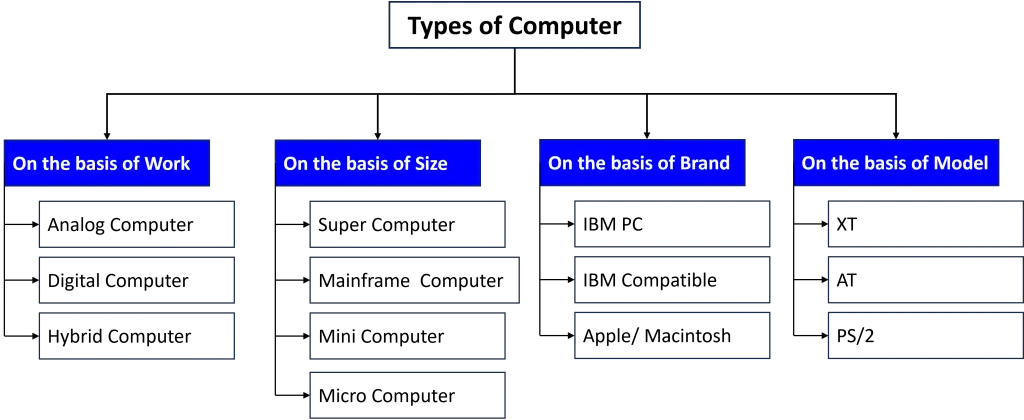
Classification according to work (Application)
i) Analog computer
An analog computer operates on continuous data, usually of a physical nature such as length, voltage, or current. An analog machine is usually a special-purpose device, dedicated to a single task. Analog computers are based on analog signals that are continuous. These types of computers are used for scientific purposes. An example of an analog computer is ‘Plesley’, and other analog devices are a thermometer, speedometer, seismograph, etc.
2) Digital computer
A digital computer works with binary digits (0s and 1s). It is based on digital signals, i.e., discrete signals. A digital computer doesn’t measure the physical values. These computers are mostly used in the preparation of reports and results. Most computers today are digital computers. Examples of these computers are IBM PC, Apple/Macintosh, etc.
The difference between an analog and a digital computer is as follows:
| Analog Computer | Digital Computer |
| 1. These computers work with physical values such as temperature, pressure, etc. | 1. These computers work with binary digits (0s and 1s) |
| 2. These computers are based with continuous data. | 2. These computers are based on discrete data. |
| 3. It has very low accuracy. | 3. It has high accuracy. |
| 4. These are slower than digital computers. | 4. These operate at a very high speed. |
| 5. It has no or limited storage capacity. | 5. It has high storage capacity. |
| 6. It does single purpose job. | 6. It does a multi-purpose job. |
| 7. No possibility of reprogramming. | 7. It can be reprogrammed. |
3) Hybrid Computer
A hybrid computer combines the best features of both analog and digital computers. It helps the user to process both continuous and discrete data. A hybrid computer can convert analog signals into digital signals and digital signals into analog signals. These machines are generally used in scientific applications, aeroplanes, etc.
Some characteristics of hybrid computers are:
- It combines the best qualities of analog and digital computers.
- It can process both continuous and discrete data.
- It can convert one type of data into another.
- These computers are mostly used in aero plane, a hospital, etc.
- It is expensive (high cost).
Classification according to size
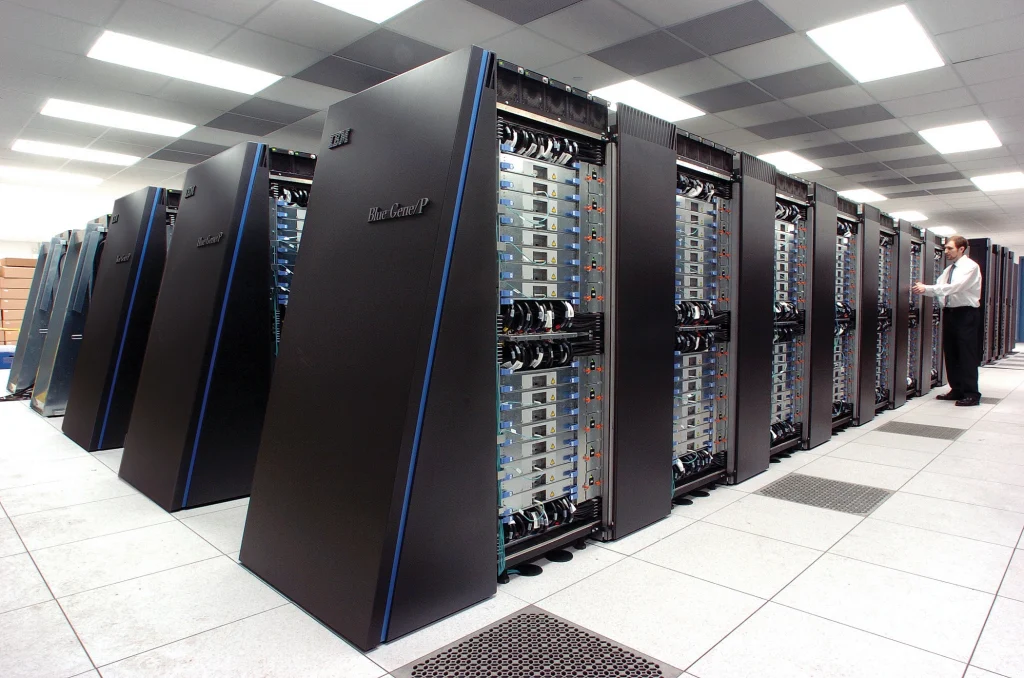
1) Supercomputers:
A supercomputer is the largest, fastest, and most expensive computer. It can process a huge amount of data and solve complicated scientific problems at short time. These computers have multiple CPUs that can process multiple instructions at a time, known as parallel processing. These types of computers are specially used for:
- scientific research
- Weather forecasting
- Online banking
- Nuclear energy research
- Industrial controls units
- Aircraft design
- Processing of geological data and genetic coding
- Simulations.
- Examples are: CRAY-1, CYBER 205, ETZ 10, etc
2) Mainframe Computers:
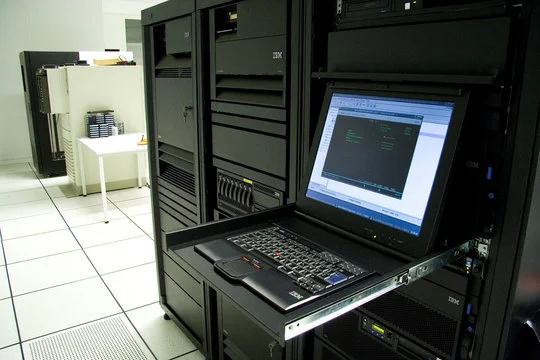
A mainframe computer is a large general-purpose computer designed for large-scale data processing. They have a very large storage capacity and support a large number of terminals. Examples of these computers are IBM 1401, ICL 2959/10, IBM S/390, etc.
Some major characteristics of mainframe computers are:
- They are very large in size, with large storage capacity and high processing speed.
- They support a large number of terminals, approximately 100.
- They have a centrally located CPU.
- It is general purpose computer.
- They are used by large agencies and the government for large-scale data processing.
3) Mini Computers:
The mini computer is medium-sized, i.e., it is bigger than a micro and smaller than a mainframe. They have a slower operation speed, smaller storage, and limited hardware compared to a mainframe computer. Mini computers are IBM AS, Prime Series, HP 9000, Neck etc.
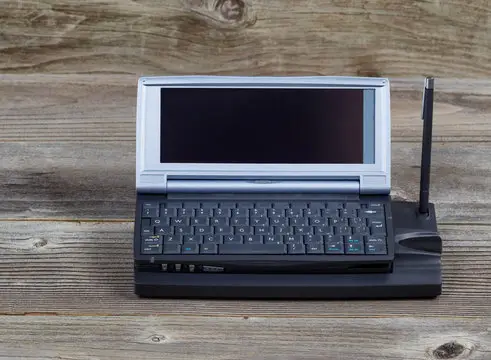
Some major characteristics of mini computers are:
- They are medium-sized computers.
- They support a small number of terminals, approximately 50.
- They are general purpose computer.
- They are used in medium-sized organizations.
4) Microcomputers:
Micro computer is the smallest computer of all. They are called micro because a microprocessor is used, and they are very small in size. Microcomputers are extensively used in homes and offices. It is also known as a personal computer (PC). Examples of these computers are IBM PC, IBM XT, Apple, etc.
Some major characteristics of microcomputers are:
- They are the smallest in size.
- They are based on microchips.
- Though they are small in size, some microcomputer has high storage and processing capacity.
- It is single user computer system.
Classification according to brand
1) IBM PC
IBM (International Business Machine) is the largest computer manufacturing company. The personal computer developed by IBM itself is called the IBM PC. These computers are also called original or branded computers. These computers are expensive.
2) IBM Compatible
The computers developed by different organisations using IBM principles are called IBM-compatible computers. These computers are generally called assembled or duplicate computers. These computers are comparatively cheaper.
3) Apple/Macintosh Computers
All the computers that are developed by Apple Corporation are called Apple/Macintosh computers. Apple Corporation was established in 1970 AD in the USA. These computers are architecturally totally different from IBM’s. Not only the hardware part, but their software architecture is also totally different. Software made for an IBM PC can’t be run in Macintosh or vice versa.
Classification according to the model
1) XT (Extended Technology)
The computer that uses 8080, 8086 or 8088 microprocessor and have processing speed of 4.77 MHz is known as an XT (Extended Technology) computer. It is comparatively less flexible and slower than other models. XT computers can’t run the latest versions of software and programs, such as GUI-based software like Windows.
2) AT (Advanced Technology)
The computers which use 80286, 80386 or 80486 series of microprocessors are known as AT (Advanced Technology) computers. They are faster in processing (more than 2 GHz) and can run any type of software. The AT computers have additional coprocessors, which enhance the processing capability of the main processor to solve complex mathematical problems.
3) PS/2 Computers
PS/2 computers are a refinement of AT computers. These computers were released in the early 1990s. These computers are faster and more efficient than AT models. Most of the computers developed after 1990, including laptop computer belong to the PS/2 model. The OS/2 operating system was used at the begging but windows operating system is used these days.
CPU (Processor)
The real intelligence of a personal computer resides in its microprocessor, the central processing unit (CPU). In a personal computer, the processor is a single chip, an integrated circuit containing millions of transistors, packed into a surface smaller than a stamp.
Every task to be done by a computer must be interpreted and executed by the processor. This makes the processor the most important component on the motherboard. In the average microcomputer, the entire CPU is a single unit called a microprocessor. Every CPU has at least two parts: the control units (CU) and the arithmetic and logic unit (ALU).
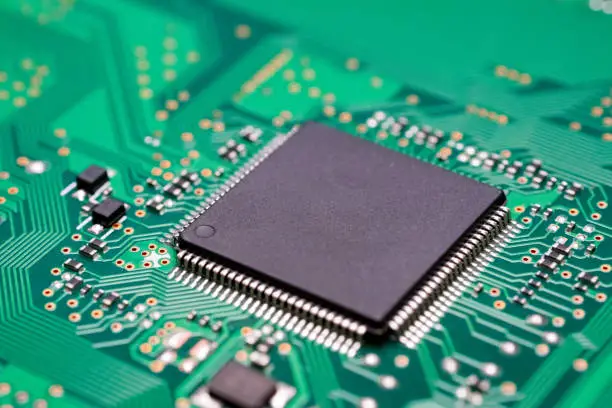
Since the processor consists of two main components, the control unit and the arithmetic and logic unit, the processor’s functions are those of both components. The processor has the following functions:
- It controls the transmission of data from input devices into memory.
- It processes the data held in main memory.
- It controls the transmission of information from main memory to output devices
- It performs the arithmetic operations such as addition, subtraction, and multiplication, and logical operations such as OR, AND, NOT etc.
The Arithmetic and Logic Unit (ALU)
The ALU actually performs the arithmetic operations such as addition, subtraction, and multiplication, and logical operations such as OR, AND, NOT, etc. The ALU also includes a group of registers- high-speed memory locations built directly into the CPU that are used to hold data currently being processed.
The Control Unit (CU)
All the computer resources are managed from the control unit. The control unit controls the flow of data through the CPU, and to and from other devices. The control unit is the logical hub of the computer. Many instructions carried out by the control unit involve simply moving data from one place to another, from memory to storage, from memory to the printers and so forth.
Motherboard
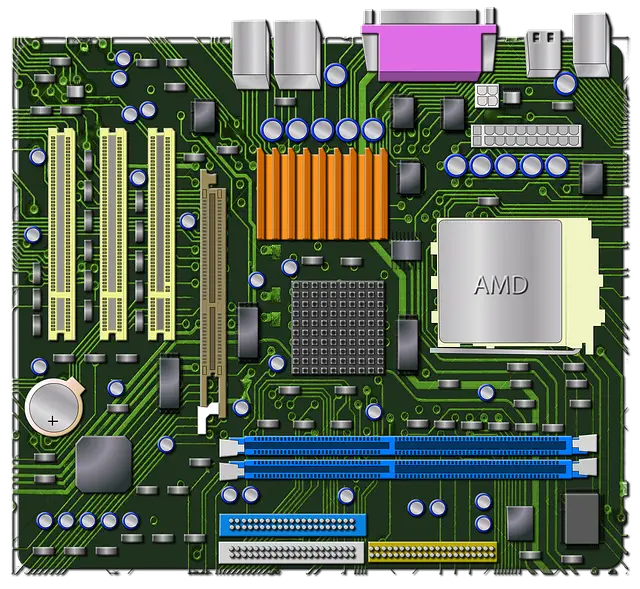
The motherboard is the main circuit board of a computer. It connects and supports all major components such as the CPU, RAM, storage devices, input/output devices, and expansion cards. It provides pathways (circuits) for communication between these components. The motherboard also supplies power and controls the flow of data between hardware parts. Therefore, it is called the backbone or heart of the computer system.
The BUS
In microcomputers, the term bus refers to the path between the components of a computer. There are two main buses in a computer: the internal (or system) bus and the external (or expansion) bus. The internal bus resides on the motherboard and connects the CPU to other devices that reside on the motherboard. An external bus connects external devices, such as the keyboard, mouse, modem, printer etc to the CPU.
The system bus can be categorised into different types:
- Control Bus
- Address Bus
- Data Bus
Importance of Data Bus
The data bus is a set of wires or pathways on the motherboard that transfers data between the CPU, memory, and other devices. It carries binary data (0s and 1s) from one component to another.
The data bus is important because it determines how fast data can be transferred inside the computer. A wider data bus (more bits) can transfer more data at a time, which increases the overall performance of the computer system.
Memory
Memory is the workspace for the computer’s processor. A typical personal computer contains several different types of memory, including ROM, RAM, cache memory, virtual memory, and various storage devices. Instruction and data are held in memory, which is divided into millions of individually addressable storage units called bytes. One byte can hold one character, or can be used to hold a tiny part of a picture, or part of a computer program instruction. The total number of bytes in main memory is referred to as the computer’s memory size.
Computer memory can be broadly divided into primary memory and secondary memory.
The difference between primary and secondary memory is as follows:
| Primary Memory | Secondary Memory |
| 1. It is the working space to hold the data and programs that are currently in use. | 1. It is the space for a large amount of data and programs for future use. |
| 2. It is temporary and volatile except ROM. | 2. It is temporary and volatile except for ROM. |
| 3. It is fast and expensive. | 3. It is slow and very inexpensive compared to primary memory. |
| 4. Its size is small. | 4. Its size is large. |
| 5. It is also known as internal or main memory. | 5. It is also known as external or auxiliary, or backing storage. |
Main or Primary Memory
The main memory of a computer is divided into RAM and ROM. The difference between RAM and ROM is as follows:
Random Access Memory (RAM)
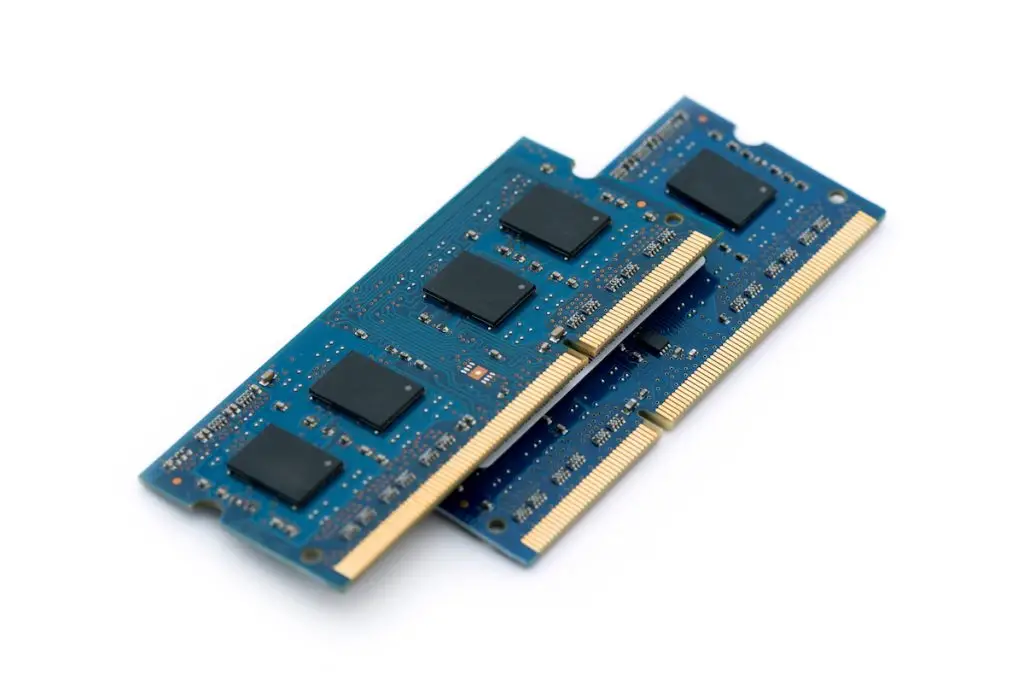
RAM, or random-access memory, is the temporary, or volatile, memory of a computer in which the data and instructions currently in use are stored. RAM is considered temporary because the data and programs will remain there only as long as the computer has electrical power or is not reset. So, we call it volatile memory. The name derives from the fact that each memory location in RAM has a specific address that is accessed or used at random. The amount of RAM available limits how much data can be manipulated and the size of the software programs that can be run on a personal computer.
Types of RAM
RAM is categorised into two types, which are explained below.
DRAM (Dynamic RAM)
DRAM is a type of main memory used in computers. It stores data using capacitors, which slowly lose their charge, so the memory must be refreshed continuously. DRAM is cheap, high-density, and widely used as main memory, but it is slower than SRAM.
SRAM (Static RAM)
SRAM is a type of memory that does not need refreshing because it uses transistors instead of capacitors. It is very fast and reliable, but expensive and low in density. SRAM is mainly used as cache memory in computers
Difference between SRAM & DRAM
The difference between SRAM and DRAM is as follows:
| DRAM | SRAM |
| 1. It needs periodic refreshing to preserve its information. | 1. It can store data as long as electric power is supplied. It does not need periodic refreshing. |
| 2. It is dense that means we can pack a lot of bits into a very small chip. | 2. It is lower in density that mans SRAM chips are larger and store less bits. |
| 3. It is made up of tiny capacitors. | 3. It is made up of transistors. |
| 4. It is slower. | 4. It is faster. |
| 5. It is inexpensive. | 5. It is expensive |
ROM (Read Only Memory)
ROM is a permanent (non-volatile) memory that stores essential instructions needed to start the computer, such as BIOS. Data in ROM cannot be easily changed and remains even when the power is off. It is used to store firmware and startup programs.
Types of ROM
1. PROM (Programmable ROM)
PROM is a type of ROM that can be programmed only once using a special device. After programming, the data cannot be erased or changed.
2. EPROM (Erasable PROM)
EPROM is a ROM that can be erased using ultraviolet (UV) light and reprogrammed. After erasing, it can be reused.
3. EEPROM (Electrically Erasable PROM)
EEPROM is a ROM that can be erased and reprogrammed using electrical signals. It can be updated without removing the chip and is also called Flash memory.
Cache Memory
Cache memory is a small, very fast memory located between the CPU and main memory. It stores frequently used data and instructions to speed up processing. Cache memory improves the overall performance of the computer.
Secondary Storage Devices
Those devices on which the data and information can be saved for future use are known as secondary storage devices or backup storage. These devices are a supplement to the main memory. Generally, there are two types of secondary storage devices: Magnetic storage & Optical storage
Magnetic Storage
Magnetic storage devices include hard disks, floppy disks, and magnetic tape. They store data using tiny magnetic particles on disks or tapes. Read/write heads with electromagnets write and read data by changing magnetic fields on the storage surface.
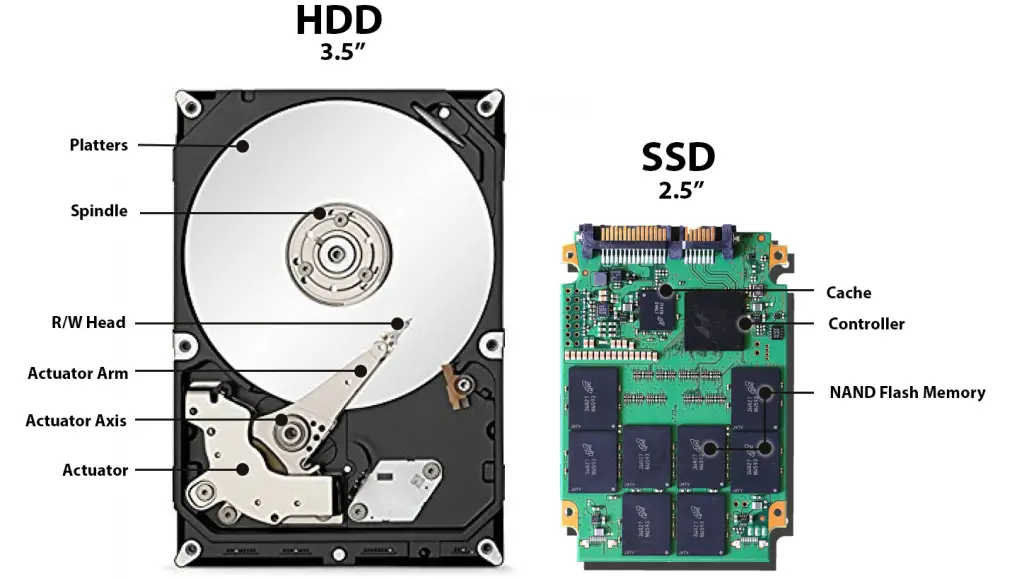
1. Hard Disk: A hard disk is the most common secondary storage device in computers. It consists of rotating metal platters inside a sealed case. Data is read and written using read/write heads. Each disk surface is divided into tracks and sectors. Hard disks store the operating system, programs, and data files and provide fast access with large storage capacity.
2. Floppy Disk: A floppy disk is a magnetic disk enclosed in a plastic case and used with a floppy disk drive. There are two main types: 5¼ inch and 3½ inch, with 3½ inch being more common. The 3½ inch floppy disk has a capacity of 1.44 MB and includes a write-protect feature. It is slower and stores less data compared to hard disks.
Optical Storage
Optical storage devices use laser (light) technology to read and write data on disks. A laser beam reads data by detecting reflected light from the disk surface. Common optical storage media include CD, DVD, and Blu-ray disks.
CD-ROM (Compact Disc Read-Only Memory)
CD-ROM is an optical storage disk used to store data such as sound, images, and software. It is read-only, meaning data cannot be modified or deleted. A CD-ROM can store about 700 MB of data and is widely used for multimedia and software distribution.
CD-R (Compact Disc Recordable)
CD-R is an optical disk that allows data to be written only once. Once data is recorded, it cannot be erased or changed. It uses a photosensitive dye that changes when exposed to a laser. CD-R is also called WORM (Write Once Read Many) storage.
CD-RW (CD-Rewritable)
A round disk housed inside a hard plastic case. A CD-RW drive allows the user to erase and rewrite data on the disk many times. It is a new type of CD which enables us to write on it multiple times.
DVD (Digital Versatile Disc)
The improved form of CD-ROM is called Digital Versatile Disk, DVD offers an initial storage capacity of 4.7 GB of digital information on a single-sided, single-layered disc, the same diameter and thickness of CD-ROM.
difference between magnetic storage and optical storage
| Magnetic Storage | Optical Storage |
| 1. An optical storage uses glass or plastic material with some reflective medium. | 1. An optical storage use glass or plastic material with some reflective medium. |
| 3. The most common magnetic storage devices are hard disks, floppy disks, tapes, etc. | 3. The most common optical storage media are CD-ROM, CD-RW, DVD, etc. |
| 2. The read/write head of magnetic storage media, which consists of an electromagnet, reads and writes data. | 3. The most common optical storage media are CD-ROM, CD-RW, DVD, etc. |
Magnetic Tape
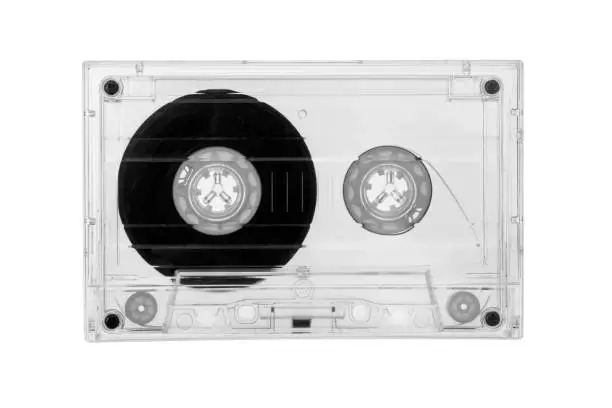
Magnetic tape is a secondary storage device used mainly for data backup. It stores data sequentially, meaning data is read in order, not randomly.
It has high storage capacity and fast transfer speed, but accessing specific data is slow. A tape drive contains read and write heads and reels to move the tape.
Because of sequential access, reading a particular record takes more time compared to hard disks or floppy disks.
Magnetic Drum
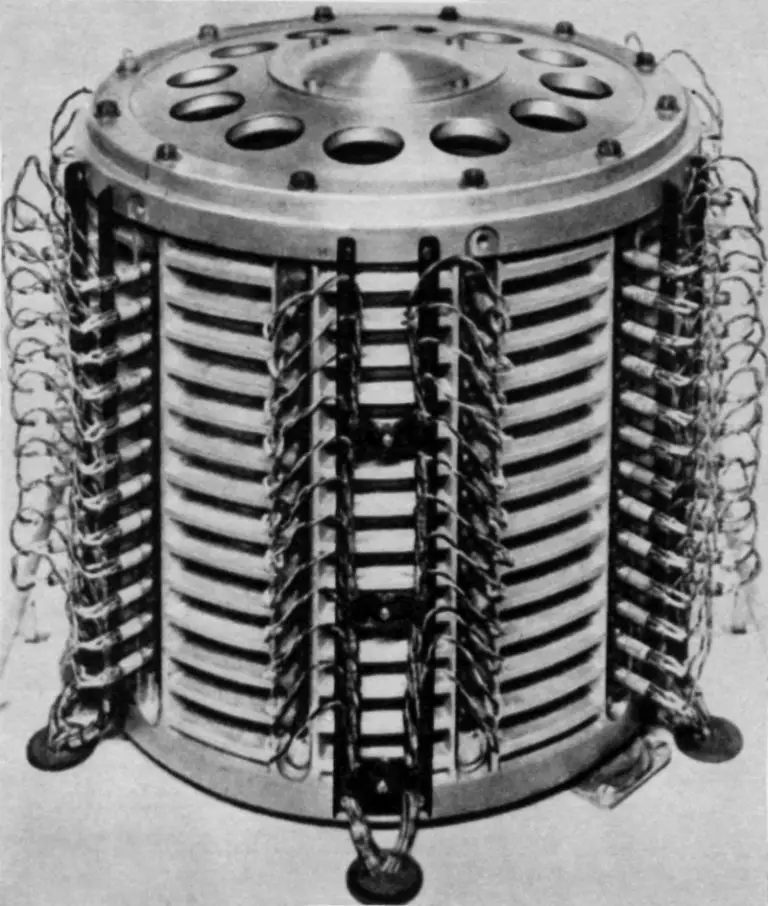
A magnetic drum is a cylindrical storage device coated with magnetic material. It stores large amounts of binary data.
Each track has its own read/write head, and data is stored or read as the drum rotates. One track is used as a timing track to control data access.
Input Device
Those devices that help to supply data or instructions to the computer are known as input devices. Input devices enable us to input data and commands into the computer. An input device converts input data and instructions into a suitable binary form, such as ASCII, which can be accepted by the computer. Some popular input devices are as follows.
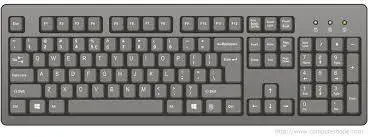
Keyboard: The keyboard is the main input device used to enter text, numbers, and commands into a computer. It looks like a typewriter and usually has more than 100 keys. When a key is pressed, it sends an electrical signal to the computer. Common types of keyboards are QWERTY and DVORAK. Multimedia keyboards also have special keys for music and videos.
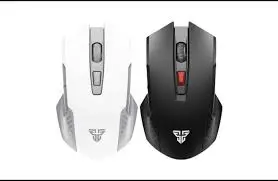
Mouse: A mouse is a pointing device used in GUI systems to select items and perform actions on the screen. It detects movement using rollers or optical sensors. It makes computer operation easy and fast.
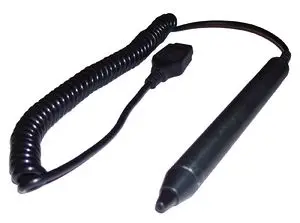
Light Pen: A light pen is a pointing device that detects light from the screen. It is used to select objects or menu options by touching the screen. It is mainly used in special systems.
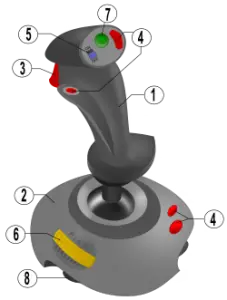
Joystick: A joystick is a pointing input device used to control cursor movement. It has a stick that moves in different directions. It is mostly used in computer games.
Scanner: A scanner is an input device that captures images or text from paper and converts them into digital form. It works like a photocopier but stores data in the computer.
OCR (Optical Character Recognition)
OCR is an input device that reads printed characters and converts them into digital text. It helps convert paper documents into editable computer data.
MICR (Magnetic Ink Character Recognition)
MICR is an input device that reads characters printed in magnetic ink. It is mainly used in banks for processing cheques and financial documents.

Bar Code Reader: A bar code reader is an input device that reads bar codes and converts them into electrical signals. It is widely used in shops and supermarkets to identify products.
Trackball: A trackball is a pointing device similar to a mouse, but it works by rotating a ball. It requires less space and is commonly used in laptops.
Touch Screen: A touch screen is an input device that allows users to interact with the computer by touching the screen with fingers. It is widely used in smartphones, tablets, and laptops.
Output Devices
Those devices which helps user to get information from a computer are known as output devices. There are two main types of output: hardcopy, where output is printed on paper, and second one is softcopy, in which output is temporarily displayed on screen. Some popular input devices are as follows.
Printer
A Printer is a popular hardcopy output device, which gives paper output for the user. Generally, printers are categorized in two main categories first one is Impact and the second one is non-impact.
Impact Printer
An impact printer is like a typewriter, and the characters are formed by physically striking the type device against the ribbon. The printer head directly touches the paper against the ribbon in an impact printer to print a character.
Dot matrix
A dot matrix is a popular kind of impact printer that forms characters on the paper by beating against the ribbon. The printer head contains a number of pins that strike the ribbon against the paper to form a character. A character is printed in a number of steps. The number of rows and columns in the dot matrix may vary from printer to printer. Its printing speed lies in the range of 30-300 characters per second.
Daisy wheel printer
This type of printer is nearly obsolete but can still be found where older systems are used. These printers use a spinning wheel with characters embossed around its edge. A hammer strikes the wheel from behind, pressing a character against a ribbon. Daisy wheel printers can create clean text, but cannot print graphics. Daily wheel printers are very slow in comparison to other printers.
Drum Printer
A drum printer is an impact printer. It uses a rapidly rotating drum that contains a complete character set in each band around the drum. It also contains a magnetically driven hammer in each character position of the line. The printer receives all characters to be printed in one line of text from the processor. When the desired comes in printing position, the hammers hit the paper and ink ribbon against the desired character. It is a noisy printer. Its speed varies from 200 to 2000 lines per minute.
Chain Printer
A chain printer is an impact printer. It uses a rapidly rotating print chain that contains a complete character set. It also contains magnetically driven hammers in each print position. The printer receives all characters to be printed in one line of text from the processor. When the desired comes in printing position, the hammers hit the paper and ink ribbon against the desired character. It is a noisy printer. Its speed varies from 400 to 2400 lines per minute.
Band Printer
A band printer features a rotating band that is embossed with a complete character set. To print a character, the machine rotates the band to the desired character, and then a small hammer tapes the band, pressing the character against a ribbon. It is a noisy printer. Depending on the character set used, a good quality band printer can generate 2000 lines per minute.
Non-Impact Printer
The non-impact printer creates images in the paper without striking in any way. The popular types of non-impact printers are Ink jet printer and Laser printer.
Inkjet Printer
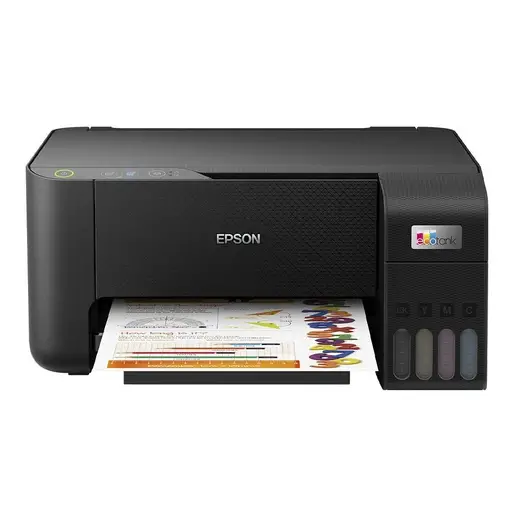
An inkjet printer is a non-impact printer that produces good quality text and graphics by spraying tiny droplets of ink onto paper. It uses ink cartridges with very small nozzles to print images and text. Inkjet printers can print in multiple colors and are suitable for high-quality color printing.
Laser Printer
A laser printer is a high-speed, non-impact printer that produces very high-quality text and graphics. It works on the photocopy principle using a laser beam and a drum. Toner powder is fused onto paper using heat and pressure. Laser printers are fast and widely used in offices.
Difference between Impact Printer & Non-Impact Printer
| Impact Printer | Non-impact Printer |
| 1. It prints character by striking the print head with inked carbon onto the paper. | 1. It prints characters by using special technology, such asa laser beam in a laser printer and ink spraying in Ink jet printer |
| 2. It is low speed printer. | 2. It is high speed printer. |
| 3. It is a noisy printer since it produces sound. | 3. It is a quiet printer. |
| 4. Its printing quality is low. | 4. Its printing quality is high. |
| 5. Examples are Daisy wheel printer, Dot matrix printer, Drum printer, etc | 5. Examples are Ink jet printer, a laser printer, etc. |
Monitor
A monitor is an output device used to display text, images, and videos on a screen. It is also called a soft copy output device. Common types of monitors include CRT and LCD.
CRT (Cathode Ray Tube) Display
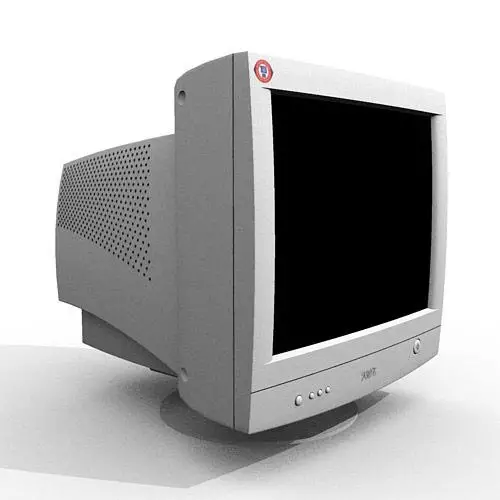
A CRT monitor works using an electron beam that strikes a phosphor-coated screen to produce images. Color CRT monitors use red, green, and blue phosphors to create different colors. CRT displays are used where large amounts of data need to be shown.
LCD (Liquid Crystal Display)
LCD (Liquid Crystal Display) is commonly used in small systems, such as calculators, palmtops, and portable laptop computers. The term liquid crystal refers to the fact that these compounds have a crystalline arrangement of molecules, yet they flow like a liquid.
LED (Light Emitting Diode) Display
An LED display is used in microprocessor-based industrial control, instruments, etc., where only a small amount of data is to be displayed. A matrix of diodes is arranged to form the pixel positions in the display, and picture definition is stored in a refresh buffer. Information is read from the refresh buffer and converted to voltage levels that are applied to the diodes to produce the light patterns in the display.
Speaker
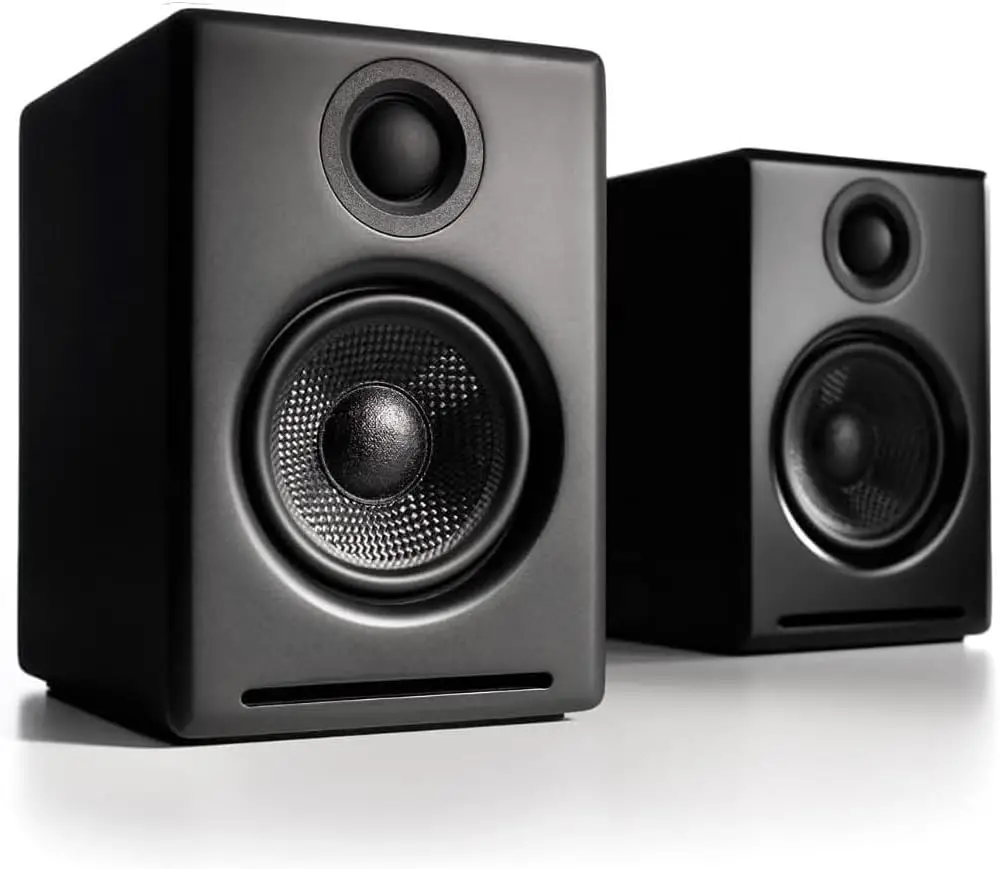
The speaker is an essential part of a multimedia PC. It is used for producing sound and music. A sound card, which is an essential part of the sound output system, translates digital sound into the electric current that is sent to the speaker. These are also small in-built speakers which produces beep sound during system errors.
Plotter
A plotter is an output device used to produce high-quality drawings and graphics, such as maps, engineering designs, and diagrams. It converts computer data into coordinates and draws images on paper.
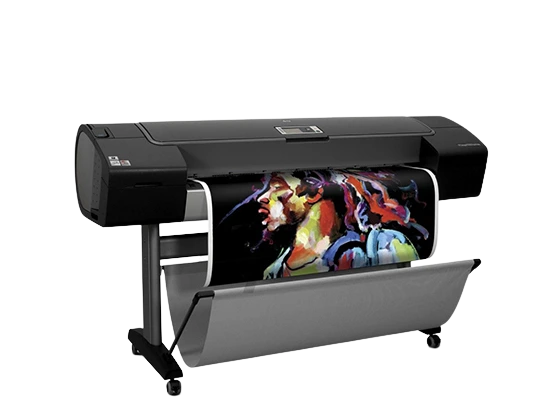
Plotters are of two types:
- Pen Plotter – uses a pen to draw images by moving it over paper.
- Penless Plotter – includes electrostatic, thermal, inkjet, and laser plotters, used for high-density and complex drawings.
Plotters are widely used in engineering, architecture, and technical fields.
Computer Software
Software is defined as a computer program together with an associated documentation that describes the program and how it is to be used.
Software is a computer program that tells the computer what to do and how to do it. Hardware cannot be used without software. I.e. without the software, the computer can not do anything. A computer can solve the problem only if it is stated in the form of instructions that tell the computer what to do.
- System software
- Application software
System Software
System software is a group of programs that direct the internal operations of a computer system, such as controlling I/O devices, managing the storage area within the computer, etc. The purpose of the system s/w is to make the use of computers more efficient and easier. System software allows users to communicate with the hardware system; It allows users to write their own programs without knowing the internal structure of the hardware. It also provides the basis for application programs & is usually supplied by the manufacturer with the computer.
The system software can be subdivided as follows: –
- Operating system
- Translator (language processor)
- Utility software
Operating System
An operating system is an integrated set of programs that is used to manage the various resources and overall operation of the computer system. It also provides the basis for application programs and acts as an intermediary (mediator) between users of a computer and computer hardware. It provides the user with an interface that is easier to use than bare hardware.
The primary objectives of O/S are:-
- Making the computer system easy to use
- Managing the resources of the computer system.
- File Management
- Memory management
- Resource management
- Security
Translator (language processor)
A computer only understands the program written in machine language. Hence, the program written in another language must be translated into a machine language program before executing it.
A translator is a computer program that converts a program written in another language into an equivalent machine language program before executing it. Programs written in other language is called source program and the program that is obtained after being converted into machine code is called an object program.
Some of the translation programs are
- Compiler
- Interpreter
- Assembler
Utility Software
Utility programs are also called system support software or service programs, which provide useful services to the user of the computer. These programs are programs that enhance or extend the operating system’s capabilities or that simply offer new features not provided by the operating system itself.
Some of the functions performed by utility programs are:-
- A file compression (or data compression) utility can be used to reduce the size of the file so that it consumes less disk space.
- A backup utility can help you to copy group of files from your hard disk to another storage medium, such as tape or a CD-ROM.
- Disk management utility allows you to divide a hard disk into multiple partitions, so one large disk can work like several smaller ones.
- Antivirus utilities can examine a disk for hidden viruses.
- Disk defragmenter is a utility program that rearranges fragmented pieces of data so that your files are stored in contiguous (adjacent) sectors.
- Editors are used for entering the source programs into the computers.
- Sort is a utility program used for sorting records into a particular sequence.
- A copy is a utility for transferring data from one I/O device to another.
- Dumb is a program that copies the content of the main memory to output devices.
Application Software
Application software is a complete program that performs a specific function directly for the users. It helps the user to work faster, more efficiently, and more productively. Application s/w are developed and supplied by s/w companies. Application s/w is available in different application fields like:-
- Accounting
- Payroll
- Statistical analysis
- Inventory management
Customized or Tailored
Customized or Tailored s/w is the software designed to meet the specific requirements of an organization or individuals. Tailored s/w is developed on the demand of the customer by a software contractor. For example, software for air traffic control systems, software for billing school fees, payroll, banking software, etc.
Packaged software
Packaged s/w is software that is a generalized set of programs designed and developed for a general purpose. These are the software that are produced by a development organization and sold on the open market to any customer who is able to buy them. Examples of these type s/w includes: word processing packages, spreadsheet packages, database package etc.
Mobile Apps
Mobile apps are software that runs on mobile phones on different operating systems like Android, iOS, etc. By downloading that software, these kinds of software take up memory space of the mobile phone, which runs by using the internet or without using an internet connection.
Web App
Web apps are software that runs by using the browser on different operating system which we do not need to download in system. This software cannot run without an internet connection.
Open-Source Software
The software which are free of cost and whose source code is easily modified by anyone on the internet. e.g Mozilla Firefox, Linux, VLC Media Player, etc
Important Question
- What do you mean by system software and application software?
- Define system s/w. And describes the different types of system s/w.
- What is an application s/w. differentiating between Tailored and packaged s/w.
- What are the advantages and disadvantages of packaged s/w?
- What is a bus? Explain the different types of buses.
- What is a mobile and web application? Explain with features.
- What is open-source software? Write two examples.
- What is softcopy and hardcopy output?
- Differentiate between RAM & ROM.
- What is primary memory? Explain its types.
- Explain the IPOS cycle.
- Describe the computer system and its components with a diagram.
- Explore the application area of a computer system.
- Demonstrate the major input devices of a computer system.
- Explain the function and components of a computer system.
- Describe the basic concept of the motherboard and its bus structure.
- Explain the concept of primary and secondary memory and its types and functions.
- Explain the common storage devices used in computer systems and their comparison.
- Demonstrate the major output devices: monitor, printer, and speaker.
- Explain the peripheral devices and demonstrate the different ports in a computer system.
- Define computer software and explain its types.
- Describe the open and proprietary software concepts.
- Compare the features of system software and application software.
- Define the mobile software and web applications.

Published February 2026. Last verified and updated: September 2026.