

There are multiple ways to install Python on your system. You can install Python on Windows, Mac, and Linux or run it on a browser.
Requirements
- Code editor, like VS Code
Python Windows Installation
Follow the instructions below to install Python on the Windows operating system.
- Visit the Python Website python.org.
2. Download the Installer: Navigate to the “Downloads” section and select the latest version for Windows.
3. Run the Installer: Execute the downloaded file and follow the installation instructions. Ensure you check the box to add Python to your PATH during installation.
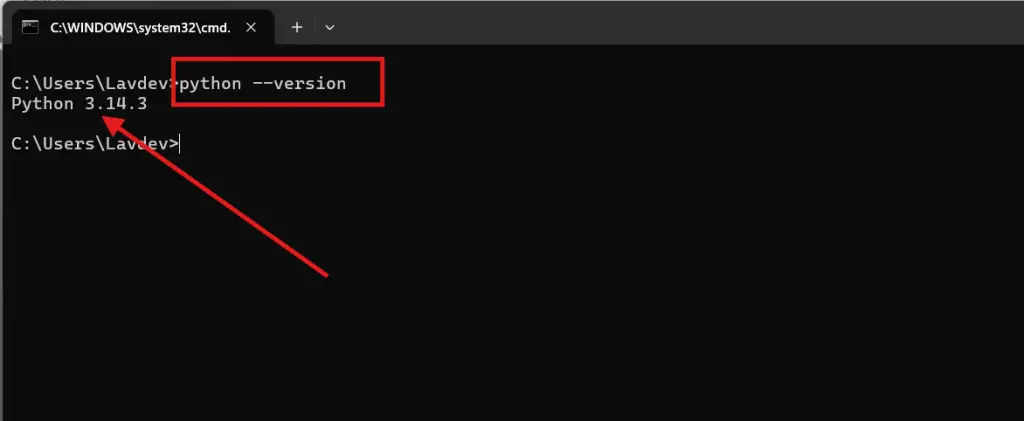
4. Verify Installation: Open Command Prompt and type python –version to confirm the installation.
Python Mac Installation
- Visit the Python Website python.org.
- Download the Installer: Select the latest version compatible with macOS from the “Downloads” section.
- Run the Installer: Open the downloaded .pkg file and follow the on-screen instructions.
- Verify Installation: Open Terminal and type python3 — version to check the installation.
Dart Linux Installation
- Check Pre-installed Python: Most Linux distributions come with Python pre-installed. Open Terminal and type python3 — version to verify.
- Install via Package Manager: If not installed, use the package manager of your distribution. For example, on Ubuntu, type:
bash
sudo apt update
sudo apt install python3 - Verify Installation: Again, type python3 — version in Terminal to confirm.
Installing VS Code on Different OS
After installing Python, we now have to install an IDE in our system. Here we are going to install Visual Studio Code as our IDE for different operating systems, which consists of the same process.
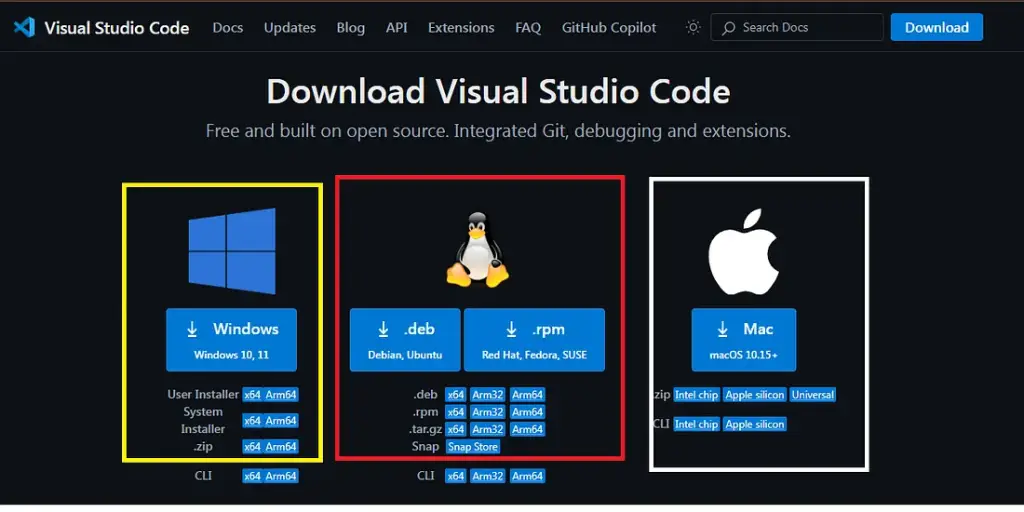
- Visit https://code.visualstudio.com/download to download VS Code and click on Windows Download.
- Install the downloaded file by running it as Administrator & open your VS Code, then start writing a program.
Python’s simplicity, readability, and broad application scope make it a powerful tool for programmers across various fields. Whether you’re building web applications, diving into data science, or exploring artificial intelligence, Python’s extensive libraries and supportive community provide a solid foundation for your projects.