

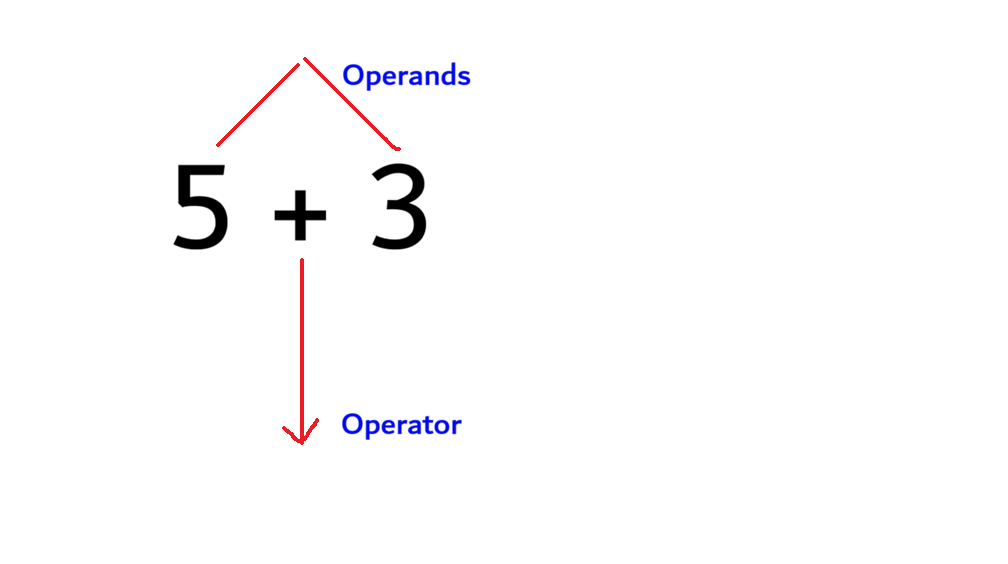
An operator in Python is a special symbol that operates on one or more values, known as operands. For example, in the expression 5 + 3, the + symbol is the operator, and 5 and 3 are the operands.
Python provides several categories of operators, each designed for a specific type of task: performing calculations, assigning values, comparing data, combining conditions, working with binary numbers, checking membership, and writing short conditional expressions. This lesson explains each category in detail, with a clear definition, syntax, and examples for every operator.
1. Arithmetic Operators
Definition: Arithmetic operators are used to perform mathematical calculations such as addition, subtraction, multiplication, and division.
| Operator | Name | Description | Example | Result |
|---|---|---|---|---|
+ | Addition | Adds two values | 10 + 3 | 13 |
- | Subtraction | Subtracts one value from another | 10 - 3 | 7 |
* | Multiplication | Multiplies two values | 10 * 3 | 30 |
/ | Division | Divides one value by another; always returns a float | 10 / 3 | 3.333... |
// | Floor Division | Divides and rounds down to the nearest whole number | 10 // 3 | 3 |
% | Modulus | Returns the remainder of a division | 10 % 3 | 1 |
** | Exponentiation | Raises a number to a given power | 10 ** 3 |
a = 10
b = 3
print(a / b)    # 3.3333333333333335
print(a // b)   # 3
print(a % b)    # 1
Note: Division (/) always produces a float value, whereas floor division (//) produces a whole number by discarding the decimal portion.
2. Assignment Operators
Assignment operators are used to assign values to variables. Python also provides compound assignment operators that combine an arithmetic operation with assignment in a single step.
| Operator | Description | Example | Equivalent To |
|---|---|---|---|
= | Assigns a value | x = 10 | — |
+= | Adds and assigns | x += 5 | x = x + 5 |
-= | Subtracts and assigns | x -= 5 | x = x - 5 |
*= | Multiplies and assigns | x *= 5 | x = x * 5 |
/= | Divides and assigns | x /= 5 | x = x / 5 |
//= | Floor divides and assigns | x //= 5 | x = x // 5 |
%= | Takes modulus and assigns | x %= 5 | x = x % 5 |
**= | Raises to power and assigns | x **= 5 | x = x ** 5 |
x = 10
x += 5
print(x)   # 15
3. Comparison Operators
Comparison operators are used to compare two values. The result of a comparison is always a Boolean value, either True or False.
| Operator | Description | Example | Result |
|---|---|---|---|
== | Equal to | 5 == 5 | True |
!= | Not equal to | 5 != 3 | True |
> | Greater than | 7 > 3 | True |
< | Less than | 7 < 3 | False |
>= | Greater than or equal to | 7 >= 7 | True |
<= | Less than or equal to | 7 <= 6 | False |
x = 7
y = 10
print(x == y)   # False
print(x < y)    # True
4. Logical Operators
Logical operators are used to combine two or more conditions and return a single Boolean result.
| Operator | Description | Example | Result |
|---|---|---|---|
and | Returns True if both conditions are true | (5 > 3) and (2 < 4) | True |
or | Returns True if at least one condition is true | (5 > 3) or (2 > 4) | True |
not | Reverses the result of a condition | not (5 > 3) | False |
age = 20
has_id = True
print(age >= 18 and has_id)   # True
5. Bitwise Operators
Bitwise operators perform operations on the binary (bit-level) representation of integers, rather than on their decimal values.
| Operator | Name | Description | Example | Result |
|---|---|---|---|---|
& | AND | Sets each bit to 1 if both bits are 1 | 5 & 3 | 1 |
| ` | ` | OR | Sets each bit to 1 if either bit is 1 | 5 | 3 |
^ | XOR | Sets each bit to 1 if the bits are different | 5 ^ 3 | 6 |
~ | NOT | Inverts all the bits | ~5 | -6 |
<< | Left Shift | Shifts bits to the left, multiplying by powers of 2 | 5 << 1 | 10 |
>> | Right Shift | Shifts bits to the right, dividing by powers of 2 | 5 >> 1 | 2 |
a = 5   # binary: 0101
b = 3   # binary: 0011
print(a & b)   # 1
print(a | b)   # 7
Note: Bitwise operators are used less frequently in beginner-level programs but are important in areas such as data encoding, permissions, and performance optimization.
6. Membership Operators
Membership operators are used to test whether a value exists within a sequence, such as a string, list, or tuple.
| Operator | Description | Example | Result |
|---|---|---|---|
in | Returns True if the value is found in the sequence | "K" in "Kathmandu" | True |
not in | Returns True if the value is not found in the sequence | "z" not in "Kathmandu" | True |
name = "Kathmandu"
print("K" in name)       # True
print("z" not in name)   # True
Practice Questions
- Differentiate between
/and//with a suitable example. - Rewrite the statement
x = x + 10using a compound assignment operator. - Identify the error in the following code and correct it:
   if score = 90:
print("Excellent")- Evaluate
5 & 3and explain the result using binary representation. - Write a ternary expression to check whether a number
nis even or odd. Evaluate"a" in "banana"and"z" not in "banana". - Write a logical expression to check whether a student is eligible for a scholarship, given that marks must be above 80 and attendance must be above 90 percent.